We may earn commissions from links to support our work. Learn more.
What MaxFusion AI Actually Does (And Why You'd Care)
Most UGC ads cost $150–$300 per video. One video. And if you're running paid ads on Meta or TikTok, one video means nothing. You need 20 to 50 creative variations just to find a single winner. That's potentially $5,000–$15,000 in creative testing before you even know what works.
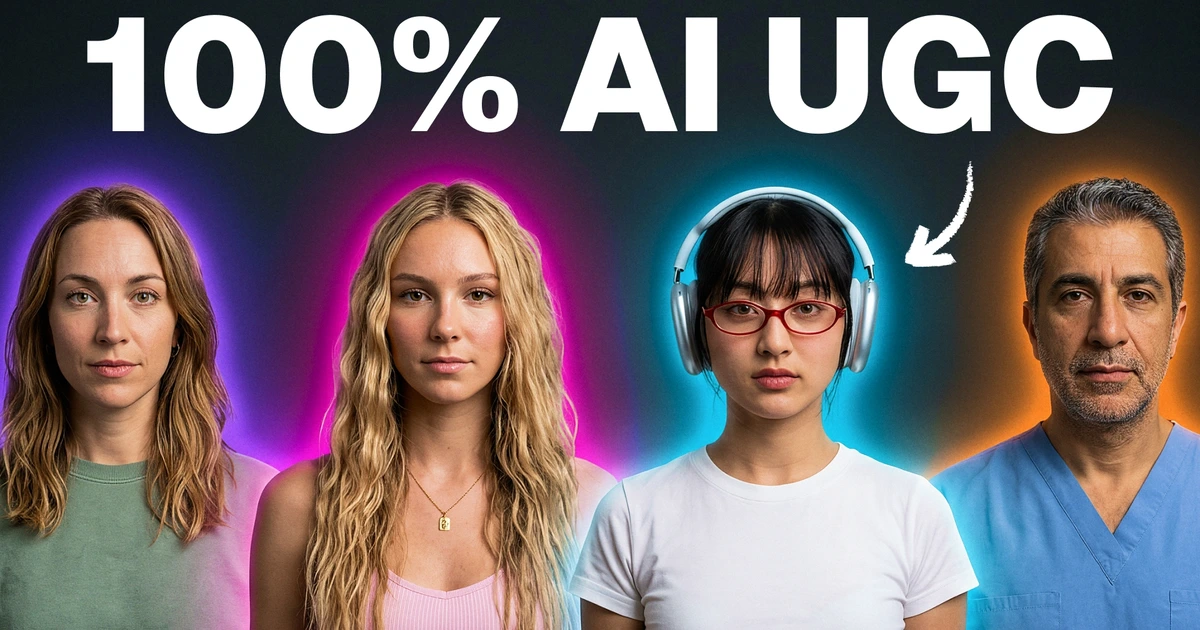
MaxFusion AI is a tool that lets you skip the human creator entirely. You find a viral ad that's already proven, reverse engineer it, and recreate the whole thing with AI-generated actors, scenes, and voiceovers. Different faces, different hooks, different angles — all built off one reference video that you already know converts.
The entire process takes under five minutes per scene. The cost? A fraction of hiring a single UGC creator.
Is it perfect? No. But it's good enough that the ads coming out of it are genuinely hard to distinguish from real UGC — and that changes the math on creative testing completely.
How MaxFusion AI UGC Ad Creation Works: Step by Step
Here's the actual workflow, broken down into the phases you'll follow every time. No screenshots needed, just follow along.
Phase 1: Find a Proven Reference Ad
Don't start from scratch. That's the whole point.
Go to TikTok or Facebook Ad Library and find an ad that's already getting traction. Look for high engagement, lots of comments, something that's clearly resonating. This is your blueprint.
You're not copying it word for word. You're studying the structure: the hook, the demo, the pacing, the emotional beats. Then you rebuild it with your own product and AI-generated everything.
Phase 2: Generate Your AI Creator Image
Inside MaxFusion, you'll use the Create Image feature to generate your “creator” — the AI person who'll appear in your ad. The tool uses a model called Nano Banana 2 for image generation.
A few things worth knowing:
- Generate in batches of three. These models don't nail it on the first try every time. Hands get weird. Hair color shifts. Three attempts gives you at least one usable result.
- Your starter image matters a lot. Video generation eats more tokens (and costs more) than image generation. Get your base image right before moving to video. Don't rush this step.
- Use reference images. When generating scenes with your product, upload a reference image of the actual product. It keeps things consistent across scenes.
Phase 3: Build Your Storyboard
This is where the planning happens. You'll want a simple document (Notion works great) with three columns for each scene:
- Image prompt — what Nano Banana 2 should generate
- Script line — what the AI voice will say
- Video generation prompt — instructions for turning the still image into motion
For talking head scenes, MaxFusion uses their custom Rizz model. For B-roll (product shots, lifestyle clips, demos), you'll switch to the Veo 3.1 model. You'll alternate between these throughout the storyboard.
A typical ad storyboard has 5–8 scenes. Each one gets its own image, script, and prompt.
Phase 4: Generate Speech and Add Emotion
MaxFusion has built-in text-to-speech. You paste your script line into each scene, pick a voice (they have several presets like “Summer”), and generate.
The emotion tagging feature is worth using. You can add tags like “confident,” “happy,” or “excited” to different parts of the script, and the AI adjusts the vocal delivery accordingly. It's not dramatic — don't expect Oscar-level performance — but it does make the audio sound less robotic.
Phase 5: Generate All Video Scenes
Once every scene has its image, speech, and prompt filled in, you hit Generate at the top. MaxFusion shows you the token cost before committing. Then all scenes render simultaneously.
Not every scene will be perfect. MaxFusion lets you regenerate individual scenes without redoing the entire project. Budget for 1–2 regenerations per ad — that's been my experience.
Phase 6: Export and Edit
MaxFusion doesn't handle final editing. You export each scene clip and bring them into your editor of choice — Adobe Premiere, CapCut, Final Cut Pro, DaVinci Resolve, whatever you're comfortable with.
The editing work is mostly:
- Trimming dead air and weird AI pauses (there will be some)
- Syncing scenes so the pacing feels natural
- Adding music and captions
- Making cuts feel intentional, not generated
This step is where a mediocre AI ad becomes a convincing one. Don't skip it.
MaxFusion AI UGC Ad Creation Pricing
Let's talk money. MaxFusion runs on a token-based system. You spend tokens on image generation, video generation, and speech synthesis. Video generation is the most expensive part.
Compared to the $250 average cost of a single human UGC video, you can generate multiple complete ads in MaxFusion for significantly less. The exact cost per ad depends on how many scenes you use, how many regenerations you need, and which models you choose — but we're talking single-digit dollars per ad in most cases.
That's the real value proposition. It's not that one AI ad is better than one human ad. It's that you can test 30 variations for the price of one human creator.
If you want to check current pricing tiers, visit MaxFusion here.
MaxFusion AI UGC Ad Creation Features Worth Knowing
| Feature | What It Does | Verdict |
|---|---|---|
| Nano Banana 2 | Image generation model for stills | Solid for product scenes, occasionally fumbles hands |
| Rizz Model | MaxFusion's custom talking head video model | Best part of the tool — faces look natural |
| Veo 3.1 | B-roll and demo video generation | Good for lifestyle shots, struggles with complex product demos |
| Text-to-Speech | Built-in voice generation with emotion tags | Decent. Not indistinguishable from human, but close |
| Storyboard Builder | Scene-by-scene project planning | Clean interface, easy to reorganize |
| Per-Scene Regeneration | Redo individual scenes without restarting | Essential — saves tokens and time |
The Rizz model for talking heads is the standout feature. That's what makes the final ad look like a real person filmed it on their phone. The B-roll model (Veo 3.1) is good but not great — complex product demonstrations (like using a hair tool on actual hair) can look a little off. Simple product-on-table shots? Those work well.
Who Should Actually Use This
MaxFusion AI UGC ad creation makes sense for three groups:
- E-commerce brands running paid ads on Meta or TikTok who need high-volume creative testing. If you're spending $5K+/month on ads, the creative bottleneck is real and this solves it.
- Marketing agencies that want to offer AI ad creation as a service. The margins are obvious — charge $100–$200 per ad, spend $5–$10 producing it.
- Solo creators and freelancers looking for a new service to sell. You don't need video production skills. You need taste and an understanding of what makes ads convert.
Who shouldn't use it? If you're selling a high-trust product (medical, financial, legal), AI-generated faces might backfire if people notice. And if your product requires very specific physical demonstrations, you'll hit the model's limitations fast.
MaxFusion AI UGC Ad Creation Alternatives
MaxFusion isn't the only option. Here's how it stacks up:
- Arcads — Another AI UGC tool. More focused on avatar-style talking heads. Less flexible for full scene creation. Good if you just need a face reading a script.
- Creatify — Handles AI avatars and script generation. More templates, less customization. Easier for beginners but less control over the final product.
- HeyGen — Primarily a video avatar tool. Great for corporate-style videos, less suited for authentic-feeling UGC ads.
- Manually hiring UGC creators — Still produces the most authentic results. But at $250/video with week-long turnarounds, it doesn't scale for testing.
MaxFusion's edge is the full pipeline — image generation, video generation, speech, and storyboarding in one place. Most alternatives handle one or two of these and force you to stitch tools together.
If you're exploring other AI tools for your workflow, the Hypertools Leaderboard ranks the top-rated tools across categories. Worth checking if you want to compare options.
FAQ
What is the best AI to create UGC ads?
For full-pipeline UGC ad creation — image, video, voice, storyboard — MaxFusion is currently the most complete option. If you only need a talking head avatar, Arcads or HeyGen work too, but they don't give you scene-level control.
Is AI UGC creation free?
Not the good stuff. MaxFusion runs on tokens, and video generation costs real money. Free tools exist but produce obviously-AI results that won't convert. Budget at least $5–$10 per finished ad with MaxFusion.
How do you generate UGC ads with AI?
Find a proven reference ad → generate AI creator images → build a scene-by-scene storyboard → add AI voiceover with emotion tags → generate video for each scene → export and edit in your preferred video editor. The full process is covered step by step above.
What is a UGC ad creator?
A UGC (User-Generated Content) ad creator is either a real person or an AI-generated persona who appears in advertisements styled to look like organic, authentic content rather than polished brand marketing. AI versions like those from MaxFusion let you create these without hiring real people.
Will AI replace UGC creators?
Partially. For high-volume creative testing (where you need 30+ variations), AI is already more practical. For brand ambassador relationships, authentic testimonials, and products requiring real demonstrations, human creators still win. The realistic answer: AI handles the testing volume, humans handle the hero content.
Is AI content creation worth it?
If you're spending $3,000–$10,000/month on UGC creators for ad testing, yes — immediately. The ROI math is straightforward. If you make one or two ads per quarter, probably not worth the learning curve.
Is AI advertising worth it?
The ads perform. That's what matters. AI-generated UGC ads are running profitably on Meta and TikTok right now. The creative quality has crossed the threshold where most viewers can't tell the difference. Whether it's “worth it” depends on your volume — the more ads you test, the more the economics favor AI.
The Bottom Line
MaxFusion AI doesn't produce perfect ads every time. You'll regenerate scenes. You'll spend time editing. Some complex product demos will look slightly off.
But here's what it does do: it turns a $5,000 creative testing budget into a $200 one. It compresses a two-week creator sourcing process into an afternoon. And it lets you test 30 ad variations in the time it used to take to produce three.
That's not a marginal improvement. That's a different approach to running paid ads entirely.
For the latest AI tools worth paying attention to, check out what's new on Hypertools. And if you want to stay on top of how AI tools like this are evolving, the Hypertools newsletter covers exactly that.