
We may earn commissions from links to support our work. Learn more.
About Motion
Most AI-powered productivity tools promise to organize your life but end up creating more work. Motion's approach is different: it rearranges your calendar automatically when things inevitably go sideways.
This isn't just another task manager with AI slapped on top. Motion watches your schedule, knows your deadlines, and shifts everything around when a meeting runs long or a project takes more time than expected. No manual drag-and-drop. No calendar tetris at 11pm.
The core pitch: you tell Motion what needs doing, and it figures out when you'll actually do it. Then it adjusts on the fly when reality doesn't match the plan.
Try Motion free for 7 days and see if auto-scheduling works for your workflow.
What is Motion?
It's a calendar-first task manager that uses AI to schedule your work automatically.
You feed it tasks with deadlines and estimated durations. Motion looks at your existing calendar, figures out when you have available time, and slots everything in. When something changes (a meeting gets moved, a task takes longer), Motion reschedules the rest of your day without you touching it.
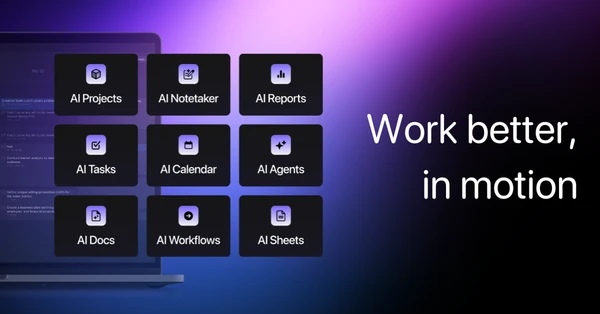
The system includes project management tools, a meeting scheduler, an AI notetaker, and document editing. But the scheduling engine is what makes it different from Notion or ClickUp. Motion treats your calendar as the source of truth and builds everything else around it.
Who is Motion For?
People managing multiple projects simultaneously who spend more than 30 minutes daily reorganizing their calendar. That's the target.
Specific scenarios where Motion works:
- Agency owners juggling 5-10 client projects at once, each with different deadlines and deliverables
- Consultants who bill by the hour and need accurate time allocation across clients
- Product managers coordinating feature releases across engineering, design, and marketing teams
- Content creators managing production schedules for multiple platforms (YouTube, newsletter, social) with hard publishing dates
- Small business owners wearing multiple hats who can't afford to miss a deadline because they forgot to block time for it
If you only work on one thing at a time, Motion is overkill. Same goes if your work doesn't have hard deadlines or if you prefer loose, flexible scheduling over structured time blocks.
Motion Pros and Cons
| Pros | Cons |
|---|---|
| Automatic rescheduling: When one task runs over, Motion shifts everything else without manual adjustment. Saves 15-20 minutes of calendar management daily. | Expensive for individuals: $49/month is steep compared to Todoist ($5/month) or TickTick ($3/month), even though those lack auto-scheduling. |
| AI Notetaker joins calls: Records and transcribes Zoom, Google Meet, and Microsoft Teams meetings. You don't need a separate Otter.ai or Fireflies subscription. | Learning curve on task setup: You need to estimate task duration and set proper deadlines. Garbage in, garbage out. Bad estimates mean bad scheduling. |
| Email and Siri integration: Forward emails to create tasks or use voice commands on iOS. Reduces friction for capture. | Mobile apps lag desktop: The iOS and Android apps have full calendar functionality but lack some project management features. You'll still need the desktop version. |
| Unlimited projects and storage: No artificial limits on kanban boards, list views, or file uploads. Better than competitors charging per project. | AI Employees feature requires top tier: The workflow automation tools are locked behind the Business AI plan at $69/month. Not accessible on the standard tier. |
Motion makes sense if calendar chaos is genuinely costing you time or missed deadlines. The auto-scheduling either solves a real problem for you or it doesn't. If you're already comfortable with manual calendar management, the price jump won't feel justified.
Motion Features: AI Scheduling, Project Management & Meeting Tools
AI-Powered Task Prioritization and Calendar Scheduling
Motion analyzes your task list, deadlines, and available calendar slots to build your schedule automatically. You set the priority level and deadline, Motion figures out when it happens.
When a task takes longer than estimated, everything downstream shifts without you opening the calendar. This works well for predictable work with clear time blocks. Less useful for creative work that doesn't fit neat hour-long chunks.
The AI also factors in meeting buffers and travel time between appointments. You won't end up with back-to-back Zoom calls scheduled when one is across town.
AI Employees for Workflow Automation
This is Motion's term for AI-powered task automation. Forward an email, and an AI Employee can create a task, extract key details, and assign it to the right project.
The feature requires the Business AI tier ($69/month), so it's not available on the base plan. Motion markets this as a replacement for repetitive task creation, but it's essentially Zapier-style automation with a different interface.
If you're already using Zapier with Motion's API, AI Employees might be redundant.
AI Notetaker for Meeting Transcription
Motion's notetaker joins Zoom, Google Meet, and Microsoft Teams calls, records audio, and generates transcripts. Similar to Otter.ai or Fireflies but bundled into your subscription.
Key advantages:
- No separate login or app switching
- Notes automatically link to calendar events
- Transcripts live in Motion's docs system for easy reference
The transcription accuracy is solid for standard business English. Struggles with heavy accents or technical jargon, same as most AI transcription tools.
AI Docs and Document Editing
Built-in document editor with AI assistance for drafting and editing. You can write project briefs, meeting notes, or internal wikis without leaving Motion.
The AI can expand bullet points into paragraphs, rewrite for clarity, or summarize long documents. Not as powerful as dedicated tools like Notion AI or Jasper, but good enough for internal documentation.
Storage is unlimited, which matters if you're consolidating docs from Google Drive or Dropbox.
Email and Siri Integration for Quick Task Capture
Forward any email to your Motion address, and it becomes a task. Subject line becomes the task name, email body gets added as notes.
On iOS, Siri integration lets you create tasks with voice commands while driving or walking. “Hey Siri, add ‘review contract' to Motion for tomorrow at 2pm.” The task appears in your schedule automatically.
These capture methods reduce the friction of getting tasks into the system. If task capture is tedious, you stop using the tool. Motion gets this right.
Project Management with Kanban Boards and List Views
Unlimited projects with kanban boards for visual workflow or list views for linear task management. Standard stuff, similar to Asana or ClickUp.
The difference: tasks on your kanban board are already scheduled in your calendar. You're not looking at a pile of work wondering when you'll do it. Motion has already assigned time blocks.
This bridges the gap between project planning and actual execution better than most tools.
See how Motion's features compare to other project management tools.
Motion vs Alternatives: Pricing & Feature Comparison
| Tool | Pricing | Key Strength | Best For |
|---|---|---|---|
| Motion | $49/month | Auto-scheduling tasks to calendar | People with deadline-heavy work across multiple projects |
| Notion | $10/month | Flexible database and wiki system | Teams building custom workflows and documentation hubs |
| Asana | $13.49/month | Team collaboration and task dependencies | Larger teams (10+ people) coordinating complex projects |
| Todoist | $5/month | Simple, fast task management | Individuals who prefer manual scheduling and lightweight tools |
Motion does about 85% of what Asana does on project management but adds the calendar scheduling that Asana lacks. If you need Gantt charts or advanced reporting, Asana wins. If you need your tasks automatically scheduled, Motion wins.
Notion is more flexible for building custom systems, but that flexibility means more setup time. Motion is opinionated about how you should work (calendar-first), which either fits your workflow or doesn't.
Todoist is a fraction of the price but requires you to manually decide when tasks happen. If you're good at that, save your money. If you constantly overbook yourself or forget to allocate time for tasks, Motion's automation justifies the cost difference.
For ADHD brains that struggle with time blindness and task initiation, Motion's automatic scheduling removes decision fatigue. You don't choose when to work on something; Motion already decided.
Motion Pricing: Plans & Cost Breakdown
| Plan | Price | Key Features |
|---|---|---|
| Pro AI | $49/month | AI Chat, Projects & Tasks, Calendar & Meetings, Docs & Notes, Sheets & Databases, Task Planner, Writer & Editor, Unlimited Storage, Mobile apps, Integrations, 7,500 AI credits |
| Business AI | $69/month | Everything in Pro AI plus: 15,000 AI credits, Team Capacity Planning, Advanced Dashboards & Reports, Timeline & Gantt Charts, Time Tracking, Permissions & Access Control, Central Billing, Priority Support |
Both plans include a 7-day free trial. Annual billing saves 33%, dropping the Pro AI plan to around $33/month and Business AI to $46/month.
The pricing positions Motion as a premium tool. Compared to other top-rated tools on Hypertools, it's in the upper bracket for solo productivity apps but reasonable for teams when you factor in the bundled notetaker and docs.
The AI credit system charges 65 cents per 100 credits on Pro AI and 46 cents per 100 credits on Business AI. How fast you burn through credits depends on how heavily you use the AI Chat, Writer, and automation features. Motion doesn't publish what each action costs in credits, which makes budgeting annoying.
Who should pay for which plan:
Pro AI works for solopreneurs and consultants managing their own workload without team coordination needs. You get the core scheduling and basic project management.
Business AI makes sense for teams of 3+ people who need capacity planning (seeing who's overbooked), time tracking (for client billing), and Gantt charts (for external reporting). If you're solo, these features are overkill.
At $49/month individual pricing, Motion costs more than Notion ($10), Todoist ($5), and Calendly ($10) combined. The value proposition only works if the auto-scheduling genuinely saves you an hour or more per week. Do the math: $49/month = $588/year. If you bill at $100/hour, saving 6 hours annually breaks even. If you bill less or save less time, it's expensive.
Is Motion Worth It? Honest Review
I've been using Motion for about four months now, and the auto-rescheduling is what sold me even though it does much more. When a video edit takes longer than expected or I need to push a client call, everything just shifts without me having to play calendar tetris for 20 minutes.
Before Motion, I'd spend Sunday evenings dragging tasks around in my calendar, trying to fit everything in. By Wednesday, the whole plan would fall apart, and I'd waste another 30 minutes reorganizing. Motion handles that automatically. When I mark a task as taking longer, it bumps the next item and finds a new slot based on my availability.
It's not perfect. Sometimes the AI schedules deep work right after a draining client call when I know I'll need a break. I override those manually, but that defeats the purpose. The system also assumes you'll stick to your time estimates, which I don't always do.
The biggest benefit for me: managing clients, content creation, and personal stuff all in one place without manually balancing priorities. Motion looks at all three calendars, knows which deadlines are hard versus flexible, and builds a schedule that mostly works.
The price still stings. $49/month feels high when I'm already paying for other tools. But I've legitimately saved my sanity during busy weeks when multiple projects hit deadlines simultaneously. If I dropped Motion, I'd probably need a combination of Todoist, Calendly, and Otter.ai to replace the functionality, and that combo costs nearly as much.
Would I recommend it? If you're constantly behind on deadlines because you underestimate how long things take, yes. If you're organized and good at manual scheduling, probably not.
Motion Review: Final Thoughts
Motion solves a specific problem: keeping your schedule functional when you're managing too many moving pieces. The auto-scheduling works as advertised, which is rare for AI productivity tools. But it's expensive, and the value proposition only holds if you're genuinely bad at calendar management or working at a volume where manual scheduling costs real time.
Teams of 5-10 people get more value than individuals. The capacity planning and time tracking features on the Business AI plan help prevent burnout and improve billing accuracy. Solo users need to honestly assess whether they'll save enough time to justify $588 annually.
Don't buy Motion if you prefer flexible, unstructured schedules. Don't buy it if your work is mostly reactive (customer support, emergency fixes) rather than project-based. Don't buy it if you're already comfortable with your current system and just browsing the latest tools out of curiosity.
Buy Motion if missed deadlines are costing you clients, if you spend more than 30 minutes weekly reorganizing your calendar, or if you need a single system that handles tasks, meetings, and documentation without manual integration work.
The best alternative: Notion for flexibility at $10/month, Asana for team collaboration at $13.49/month, or Todoist for simple task management at $5/month. None of them auto-schedule, which is either Motion's killer feature or an unnecessary gimmick depending on your work style.
Try Motion free for 7 days to see if automatic scheduling fits your workflow.
FAQ
How much does Motion cost per month?
Motion costs $49/month for the Pro AI plan and $69/month for the Business AI plan. Annual billing reduces those prices by 33% to roughly $33/month and $46/month respectively. Both plans include a 7-day free trial.
Which is better, Notion or Motion?
Notion wins for flexibility and custom workflows at $10/month. Motion wins for automatic calendar scheduling at $49/month. If you need your tasks auto-scheduled and time-blocked, Motion is better. If you want to build custom databases and documentation systems, Notion is better. They solve different problems.
Is Motion actually good for ADHD?
Motion's automatic scheduling helps with time blindness and decision fatigue, which are common ADHD challenges. The system removes the “when should I do this?” question by scheduling tasks for you. Some users find it reduces anxiety around forgetting tasks or missing deadlines. It won't solve all ADHD-related productivity issues, but the structure helps if you struggle with manual planning.
Do I have to pay for Motion?
Yes, Motion is a paid tool with no free tier. You get a 7-day free trial to test the features, but ongoing use requires either the $49/month Pro AI plan or the $69/month Business AI plan. There's no freemium option.